

You pick up your phone, tap the screen, and nothing happens. No response, no swipe. Just a blank, frozen slab of glass staring back at you.
That moment of panic is real. I have seen it happen to hundreds of phone users, from a student missing an exam notification to a business owner unable to open a client message. Millions of phone touch screens stop working every year, and most people either panic-reset their device or rush to a repair shop before trying the simple fixes that actually work.
Here is the truth: in my experience helping people at Fone World, about 60% of unresponsive touchscreen cases are fixable at home. You don’t need any tools or costs. Just the right steps in the right order.
This guide covers everything. We will go through the real causes, smart diagnosis, proven fixes, cost breakdowns, and when you genuinely need professional help. Whether you have an iPhone touch screen not working, a Samsung touch screen not responding, or any Android device, this covers you.
Why Is My Phone Touch Screen Not Working Suddenly?
This is the most common question I hear. One minute the phone works fine, then suddenly the screen stops responding to touch. It feels random; it rarely is.
Common Causes Users Ignore
Most users blame the phone immediately. But the actual cause is often something sitting right on top of the screen.
- Screen protector issues are the number one silent culprit. A lifted edge, cheap tempered glass with poor adhesive, or a protector with a bubble underneath can completely block touch sensitivity. I have fixed “broken” phones in under 30 seconds just by peeling off a low-quality screen protector.
- Dirt and moisture between a protector and the screen cause touch input delay and dead zones. Your fingertips need clean, direct contact with the digitizer to register input.
- App crashes can freeze the interface and make it look like a hardware problem when it is purely a software glitch.
Hardware vs Software Problem: How to Quickly Identify
Before you do anything else, ask yourself one question: Did this happen after an app install, a system update, or physical damage?
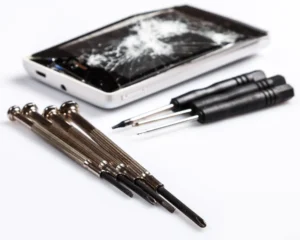
If it happened after a software update or app download, it is almost certainly a software issue. If it happened after a drop, water contact, or cracking, it is likely hardware screen damage.
This distinction matters. It tells you where to start and saves you from unnecessary factory resets or expensive repairs.
Fix 1: How Can I Quickly Check If My Touch Screen Is Broken?
You do not need a technician to run a basic test. Here is what to do at home.
Simple At-Home Test
Open your phone’s dialer and type *#*#2664#*#* on Android. This opens the built-in touch test on many devices. Slide your finger across every corner and edge of the screen. Note exactly where touch stops registering. This shows whether you have dead zones on screen or a full, unresponsive display.
On an iPhone, touch issues are best tested by going to Settings, then Accessibility, then Touch, and checking touch accommodations behavior.
Using Apps Like Touchscreen Test and Phone Doctor Plus
Apps like Touchscreen Test and Phone Doctor Plus give a more detailed picture. Phone Doctor Plus tests individual hardware components, including your touchscreen digitizer, sensors, and display. Touchscreen Test maps exactly which areas of your screen respond and which do not.
These are free, fast, and genuinely useful before you spend any money. At Fone World, we actually use diagnostic apps as a first step before opening any device.
Fix 2: Can Restarting Your Phone Really Fix Touch Issues?
Here is a contrarian take: a restart is NOT always the best first step. I know every tech guide starts with “just restart it,” but if your screen is freezing randomly due to a hardware fault, restarting repeatedly can sometimes worsen connector stress.
When Restart Works
Restart genuinely helps when the issue is caused by a system crash, a software glitch, or an app running in the background that is consuming memory. A simple restart clears RAM and stops rogue processes. If your touch stops working suddenly after heavy app use, this is your fix.
When It Does Not Help
If the problem is a damaged LCD display, a faulty display connector, or physical digitizer damage, restarting does nothing. You will restart, the screen will wake, and the same dead zone or unresponsive area will be right there waiting for you.
Fix 3: Is Your Screen Dirty or Blocked?
This sounds too simple. But I have watched people spend money on repairs for a problem a microfiber cloth solved in ten seconds.
Cleaning Method Step by Step
- Power off the phone completely.
- Remove the screen protector if it is old, lifted, or cracked.
- Use a dry microfiber cloth to wipe the screen in circular motions.
- If there is a visible smudge or oil, slightly dampen the cloth with distilled water only.
- Dry completely before powering back on.
- Test touch response across the full display.
Mistakes People Make While Cleaning
Never spray liquid directly onto the screen. Never use paper towels, which scratch Gorilla Glass. Never clean a phone while it is charging, as moisture near the charging port causes additional faults.
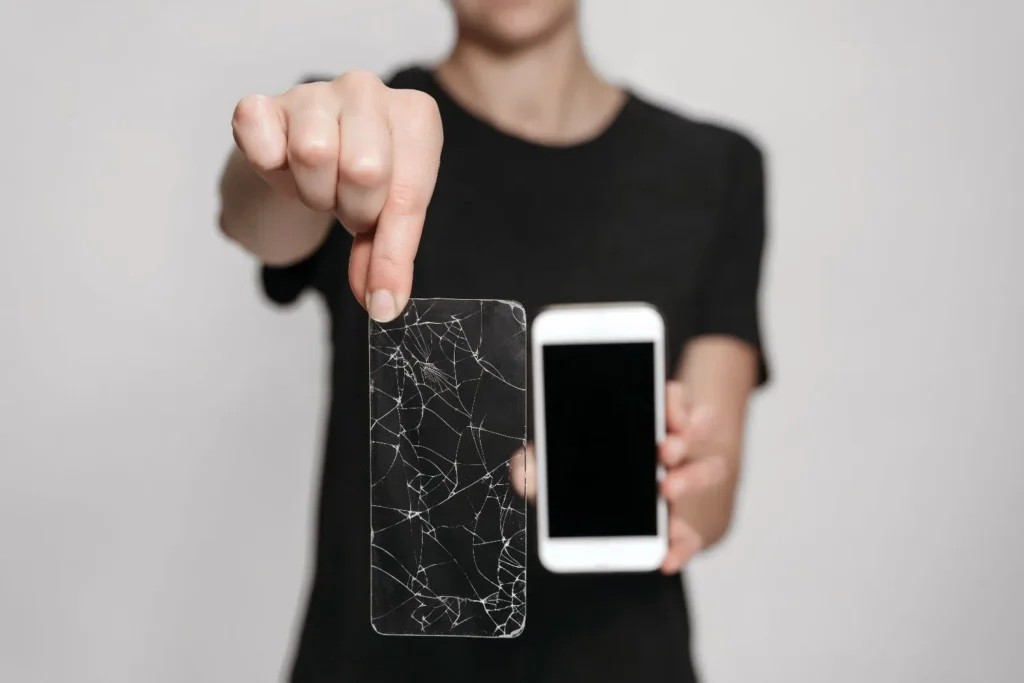
Fix 4: Could Your Screen Protector Be the Real Problem?
This is the section most competitors skip entirely. It should not be skipped.
Cheap screen protectors, particularly no-brand tempered glass bought online for under one dollar, are responsible for a surprising number of touch screen sensitivity issues. The adhesive layer lifts slightly over time and creates interference between your finger and the actual screen.
Real Case Study
A customer came into Fone World convinced that her Samsung Galaxy S23 digitizer was dead. The touch was completely unresponsive on the bottom third of the screen. We peeled off a third-party screen protector she had applied three months earlier. Touch worked perfectly within seconds.
She had been about to spend money on a full-screen replacement. The protector cost her about two dollars. Always check this first.
If you use a screen protector, stick with brand-matched options or quality products from Samsung Care, Apple, or certified retailers. Your display deserves it.
Fix 5: How to Fix Software Glitches Causing Touch Issues
A large percentage of phone screen not responding to touch problems comes down to software. The good news is that software problems have software solutions.
Update Your System
Go to Settings, then Software Update, and check if a patch is available. iOS touch issues after a major update are well-documented. Apple frequently releases small patches that address touch not registering taps after system changes. On Android OS, firmware bugs in certain versions have caused widespread screen lag issues.
Clear System Cache
On Android, powering off and booting into Recovery Mode lets you wipe the system cache partition. This removes corrupted temporary files that cause display malfunctions without deleting any of your personal data.
Safe Mode Testing
Booting into Safe Mode on Android disables all third-party apps. If your touch screen works normally in Safe Mode, a downloaded app is causing the problem. Uninstall recently added apps one at a time until the issue disappears.
Fix 6: What Is Ghost Touch and How Do You Fix It?
Ghost touch is when your screen taps, swipes, or opens apps without you touching it. It is one of the most frustrating issues you can experience, and it is widely misunderstood.
Causes of Ghost Touch
- A damaged or low-quality screen protector is creating static
- Water damage, leaving moisture under the display
- Overheating battery affecting the digitizer layer
- Motherboard issue sending false electrical signals (this one surprises people)
- Faulty display connector causing signal interference
Real Example
Three months ago, a customer brought in a Google Pixel with severe ghost touch. Apps were opening on their own. Calls were being made randomly. Every guide they had found online suggested calibration. The real cause was a slightly loose display connector after the phone had been dropped. The connector was reseated in under 15 minutes at Fone World, and the problem was gone.
Fix Ghost Touch Issue
Start by removing the screen protector and cleaning the screen. Then update your software. If it continues, test in Safe Mode. If it persists across all of these, the issue is likely hardware and requires professional inspection.
Fix 7: Can Overheating Affect Touch Screen Performance?
Yes, overheating affects the touch screen performance more seriously than most people realize.
Why It Happens
When your overheating battery pushes internal temperatures above safe limits, the digitizer layer becomes unstable. Touch sensitivity problems appear, response slows, and in extreme cases, the screen goes entirely unresponsive. Xiaomi, OnePlus, and Huawei devices with processor-intensive apps are particularly prone to this.
Quick Fixes
Remove the phone case to allow heat to escape. Stop charging while using the phone. Close background apps. Move to a cooler environment. If overheating is frequent, your battery may need professional assessment. At Fone World, we run battery health diagnostics as a standard part of any touch screen repair consultation.
Fix 8: How to Calibrate Your Phone Touch Screen Properly
Touch screen calibration is often recommended but rarely explained properly.
Android Calibration Steps
Some Android devices include a calibration tool under Settings, then Display, then Touch Sensitivity. On others, you access it through the service menu. Screen calibration Android tools let you recalibrate the digitizer to match your touch patterns. This helps with touch delay troubleshooting and partial response issues.
Apps for Calibration
Touchscreen Calibration by GameDevCraft is a well-rated free app for Android. Run it after cleaning your screen and removing screen protectors for the best results. Note that iOS does not support manual calibration apps. Apple handles touch screen calibration automatically at the system level.
Fix 9: What Should You Do If the Touch Screen Still Does Not Work?
Factory Reset: Step by Step
If all else has failed and the issue is confirmed software-related, a factory reset is the nuclear option.
- Back up all data to Google Drive, iCloud, or a computer.
- Go to Settings, then General Management, then Reset.
- Select Factory Data Reset.
- Confirm and allow the process to complete.
This wipes everything and reinstalls the base operating system. It eliminates deep software glitch issues, system cache corruption, and firmware bug problems.
Backup Warning
Never factory reset without backing up first. I have seen people lose years of photos because they skipped this step. How to fix unresponsive touchscreen without losing data is a common search for good reason. Always back up first.
When Should You Repair or Replace Your Screen?
Sign | Action |
Dead zones after software fixes | Screen repair |
Ghost touch after all software fixes | Diagnostic inspection |
Cracked glass with partial touch | Screen replacement |
Touch works fine after protector removal | No repair needed |
Completely unresponsive after drop | Professional repair |
Cost Comparison: What Does Touch Screen Repair Actually Cost?
Here is a realistic touch screen repair cost breakdown as of 2025.
Device | Screen Repair Cost |
iPhone 14 | £150 to £220 |
Samsung Galaxy S23 | £120 to £180 |
Google Pixel 7 | £100 to £160 |
Xiaomi Redmi | £60 to £100 |
Budget Android | £40 to £80 |
Cheap repairs from uncertified technicians can permanently damage the digitizer and OLED screen layers. One bad repair often costs more to fix than the original problem.
At Fone World in UK, we use only quality replacement parts and provide a repair warranty. You bring the problem; we give you a clear diagnosis before charging you a single penny.
Fix 10: What Mistakes Should You Avoid While Fixing Touch Issues?
Common User Mistakes
- Pressing harder on an unresponsive screen (this damages the digitizer further)
- Using alcohol wipes directly on the screen (strips the oleophobic coating)
- Performing a factory reset before ruling out hardware
- Buying cheap replacement screens from unknown sources
- Ignoring early signs of water damage screen problems
Expert Warnings
A cracked screen still works partially until it does not. Do not wait. Cracked screen touch not working issues worsen every day because micro-cracks spread with heat, cold, and pressure. Address it early, and the repair cost stays manageable.
What Tools and Apps Can Help Diagnose Touch Issues?
- Phone Doctor Plus: Full hardware diagnostic, including touch, screen, battery, and sensors
- Touchscreen Test: Visual grid test to map dead zones and unresponsive areas
- iFixit: Detailed repair guides for almost every phone model if you are comfortable with DIY repairs
- Apple Support app: Runs remote diagnostics on iPhone for verified hardware issues
- Samsung Members app: Built-in diagnostic tool for Samsung Galaxy devices
Conclusion: Fix Smart, Not Fast
Most phone touchscreen not working problems have a simple cause and a simple fix. The mistake is skipping straight to expensive repairs or factory resets without checking the obvious first.
Start with the screen protector. Then cleaning. Then the software. Work through the steps in order, and you will solve the problem most of the time without spending anything.
When the problem genuinely needs professional attention, make sure it is done right the first time. A bad repair creates worse problems than the original fault.
At Fone World, our team diagnoses the real cause before touching your phone. We handle everything from software glitch fixes to full OLED screen replacements, and we stand behind every repair we do.
Still unsure what is wrong with your screen? Bring it in, or get in touch, and we will tell you exactly what you are dealing with before you spend a single penny.
What has your experience been with fixing a touchscreen at home? Did any of these steps solve your problem?
FAQs
Why is my touch screen not responding?
It could be a dirty screen, a faulty screen protector, a software glitch, or hardware damage. Start by cleaning the screen, removing the protector, and restarting. If that does not work, test in Safe Mode.
Can water damage affect the touch screen?
Yes. Moisture reaches the digitizer layer and causes a delayed or no-touch response. Dry the phone fully, use silica gel packs, and have it professionally checked at a shop like Fone World if issues continue.
How do I fix ghost touch?
Remove the screen protector and clean the screen first. Update your software and boot in Safe Mode. If ghost touch continues, a loose display connector or hardware fault likely needs professional attention.
Does a screen protector affect touch sensitivity?
Yes. Low-quality or lifted screen protectors regularly cause dead zones and reduced sensitivity. Always use quality protectors and replace them when they lift or crack.
Can a software update fix touch issues?
Often yes. Many iPhone and Android touch problems are caused by firmware bugs fixed in subsequent updates. Always keep your system updated.
How do I calibrate my touch screen?
On Android, use Settings or a calibration app like Touchscreen Calibration. On iPhone, this is handled automatically by iOS. Clean your screen before calibrating for the best results.
Is a factory reset safe for fixing touch issues?
It is safe if you back up your data first. A factory reset fixes software-related touch issues but does nothing for hardware damage.
When should I replace my phone screen?
Replace it when you have confirmed hardware damage, persistent dead zones after all software fixes, or visible cracks affecting touch response.
How much does touch screen repair cost?
It ranges from £40 for budget Android phones to over £200 for flagship models. At Fone World, we provide a free diagnosis before quoting any repair cost.
Can overheating cause touchscreen issues?
Yes. High temperatures destabilize the digitizer and cause slow or no touch response. Remove the case, stop charging while using, and let the phone cool down.
Why does touch only work in some areas?
This usually means dead zones caused by physical damage, a faulty screen protector, or digitizer failure. Run a touch test app to map exactly which areas are affected.
What apps test touchscreen problems?
Touchscreen Test and Phone Doctor Plus are the most reliable free options for Android. The Samsung Members and Apple Support apps offer built-in diagnostics for their respective devices.